

 Tiếng Việt
BricsCAD V26 builds on V25 with clearer UI, sharper modeling control, smarter Mechanical and BIM tools, and more efficient survey workflows.
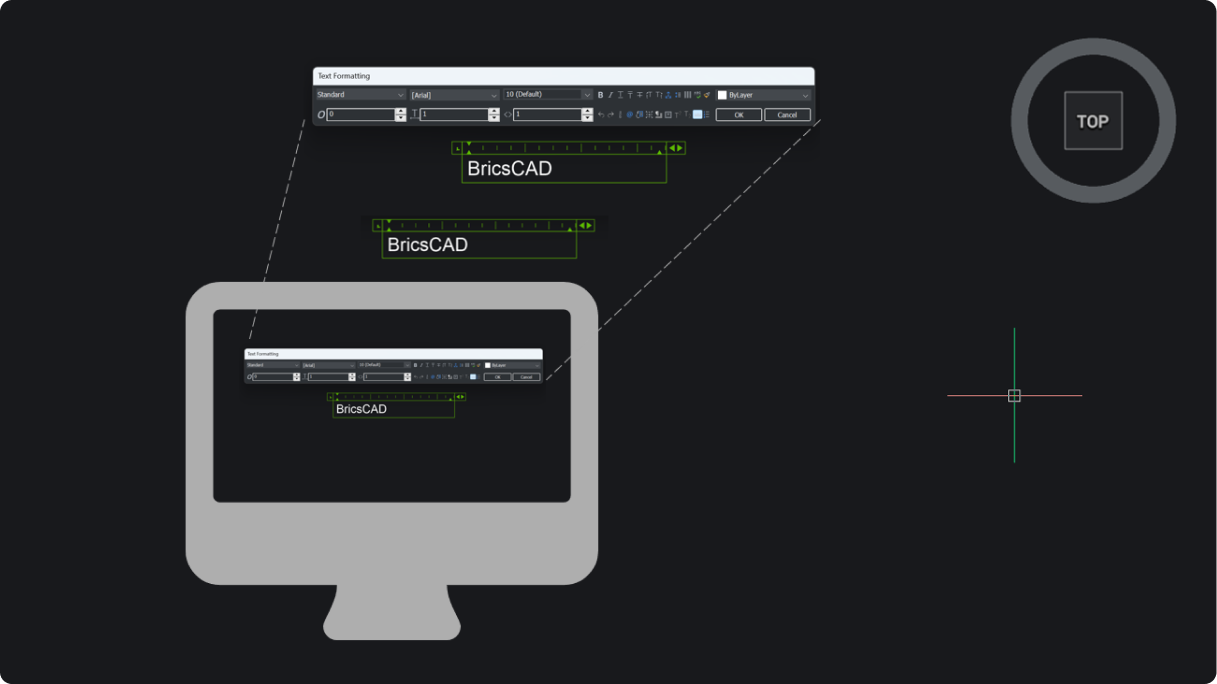
Already working in BricsCAD V25 or V25.2? You’re already on a strong foundation. But BricsCAD V26 adds speed, clarity, stability, and just enough smart automation to noticeably smooth out your daily work. To make this upgrade guide actually useful, we’ve organized it by who you are and how you use BricsCAD, so you can quickly see what matters for your workflow.
For General Designers
2D/3D designers, architects, engineers, planners
A cleaner, clearer workspace
BricsCAD V26 improves visibility and consistency across the UI, with better scaling on mixed monitors, clearer contrast, a more predictable notifications experience, and a simpler way to pick your workspace. In short, these upgrades make the interface feel more coherent than in V25.
Display Scaling and Accuracy
Faster, more controlled modeling
You get more direct control over solids thanks to new manipulation grips, clearer rotation/scale previews, and one-step fillet/chamfer operations on full solids. BricsCAD V25 could do the same tasks, but V26 does them with greater precision and fewer clicks.
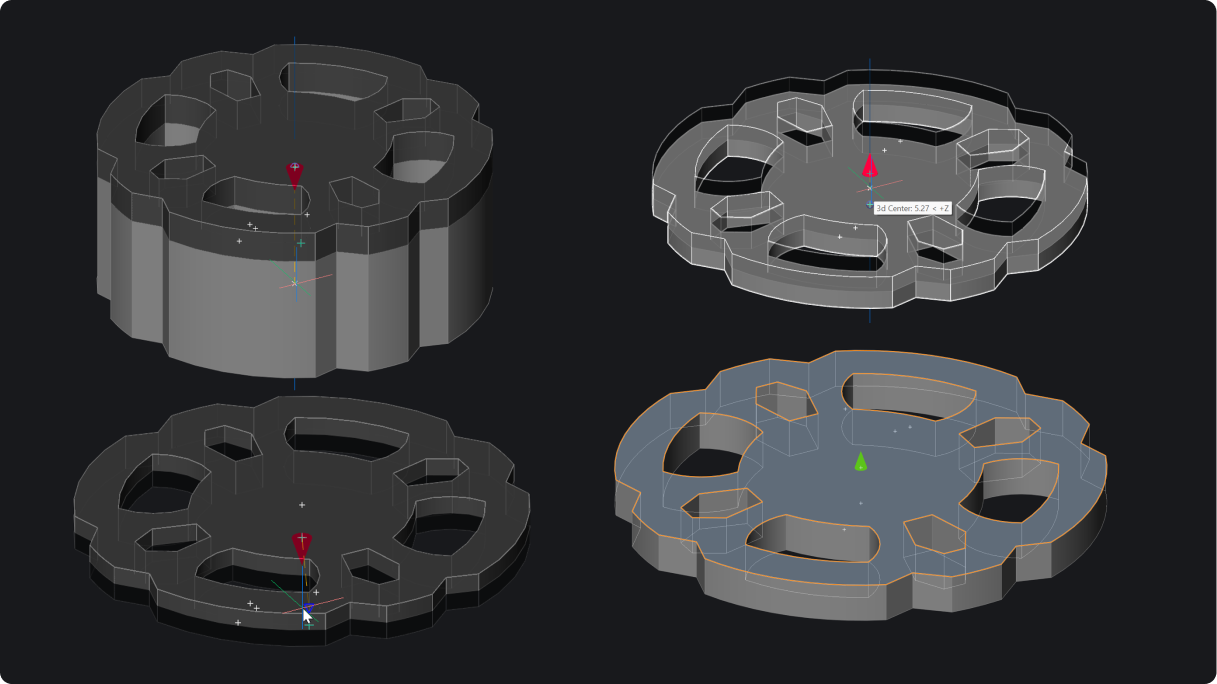
3D Solid Manipulation Control Grips
Better handling of messy or external geometry
BricsCAD V26 helps you work more confidently with imported or generated data:
- Cleaner patching of open surfaces
- Smoother point cloud management
- Better block discovery/search
- More flexible selection and filtering tools
If it felt like BricsCAD V25 sometimes slowed you down on mixed-source drawings, V26 removes a lot of that tension.
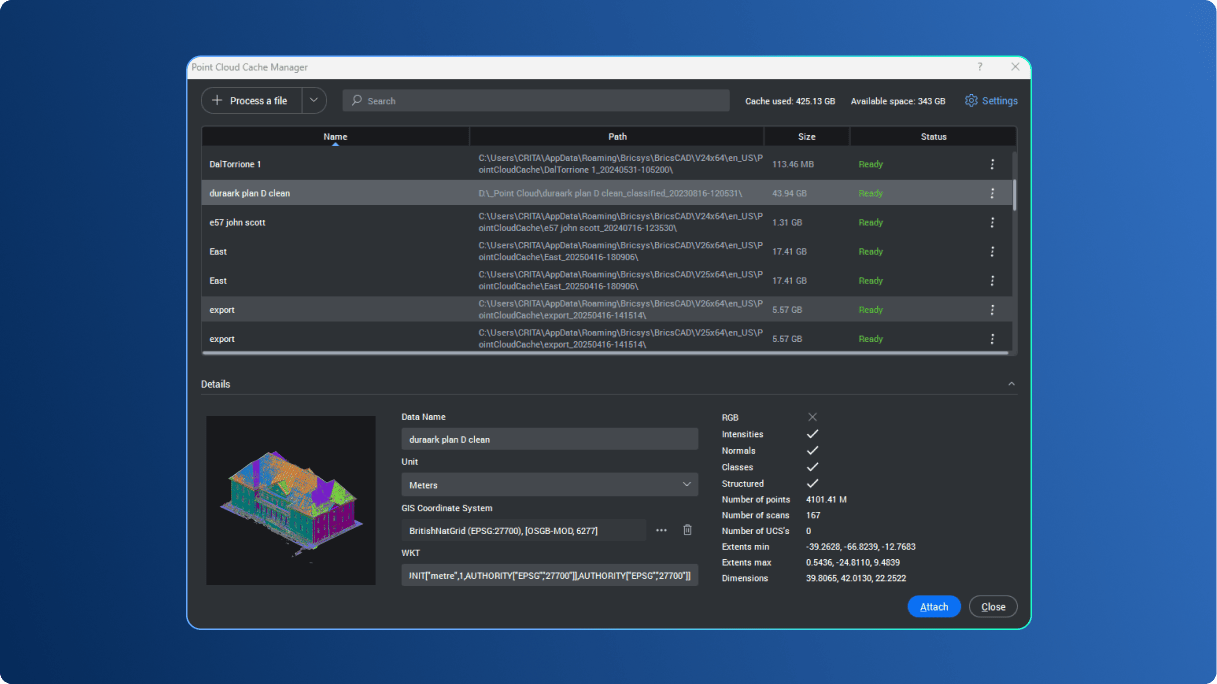
Centralized Point Cloud Management
Clearer sectioning, measuring, and documentation
Sections, slices, measurement tools, point cloud tracing, and model-space visibility controls all behave more predictably. The improvements mean less manual nudging, fewer redraws, and more “yes, that’s exactly the view I needed.”
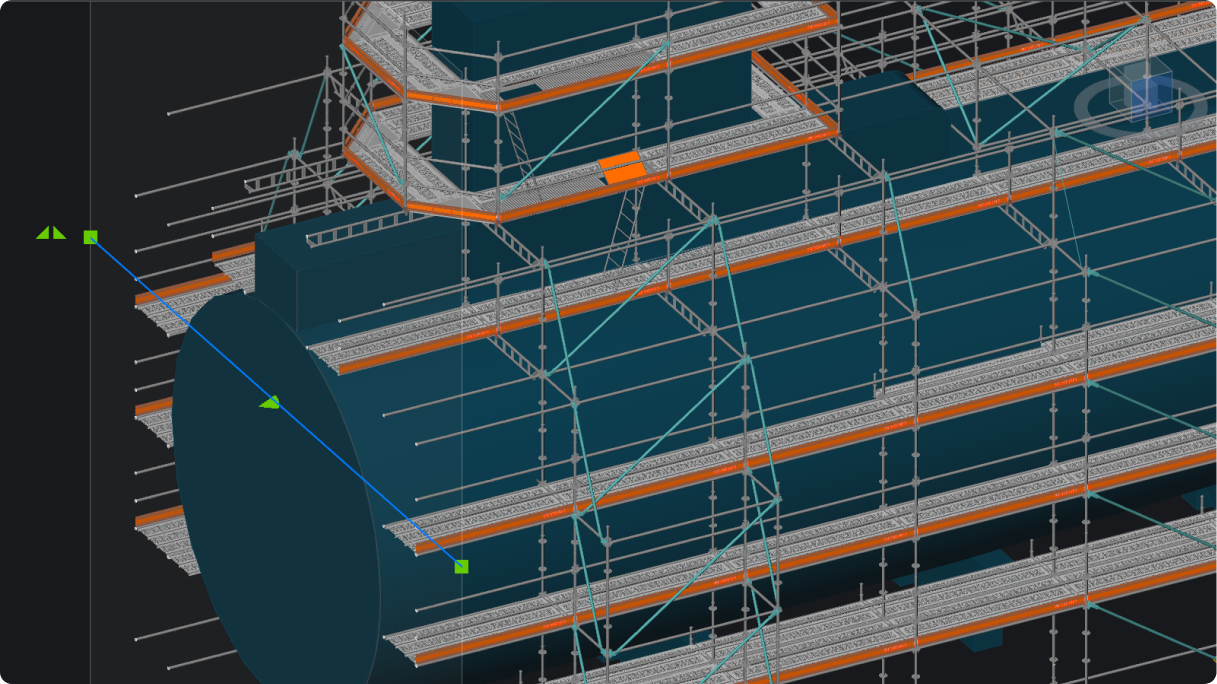
Section Plane Accuracy and Control
For Manufacturers
Mechanical designers, sheet metal teams, product engineers
More accurate sheet metal recognition
BricsCAD V26 does a better job identifying edges, bends, and transitions, especially in less-than-perfect imported parts. More parts simply work.
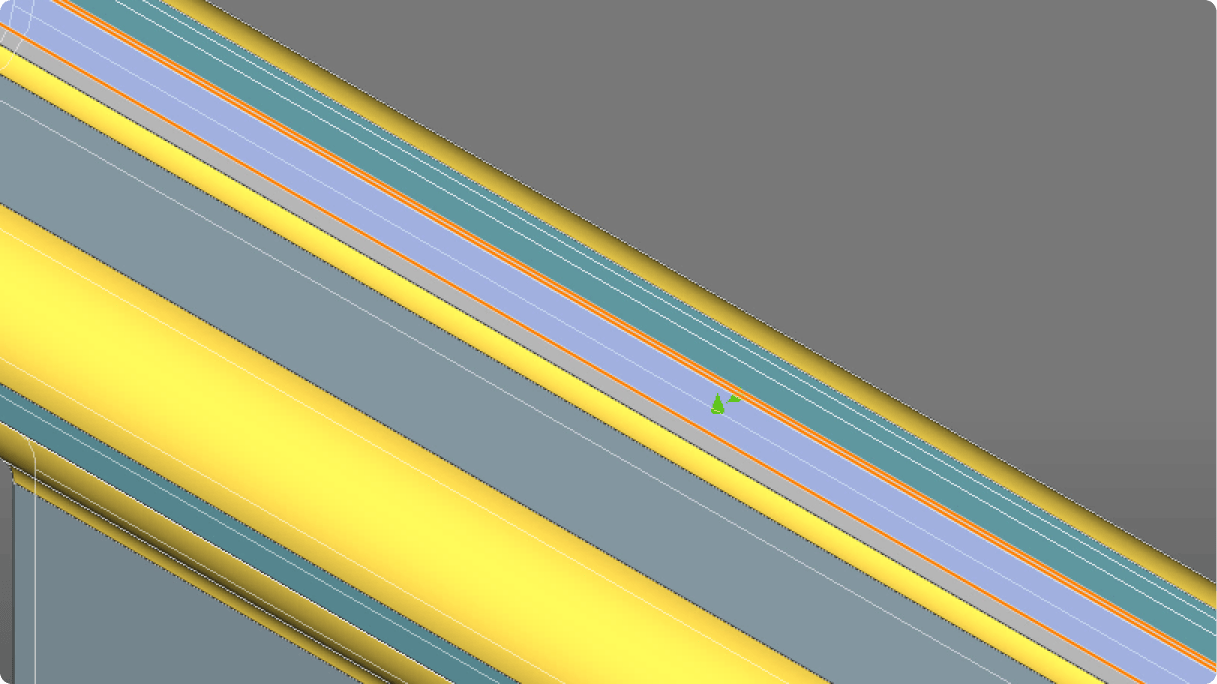
Sheet Metal Recognition
Faster iteration in 2D analyses
2D analysis flows more smoothly with reusable setups, clearer reaction-force results, and quicker navigation of problem areas. V26 feels continuous.
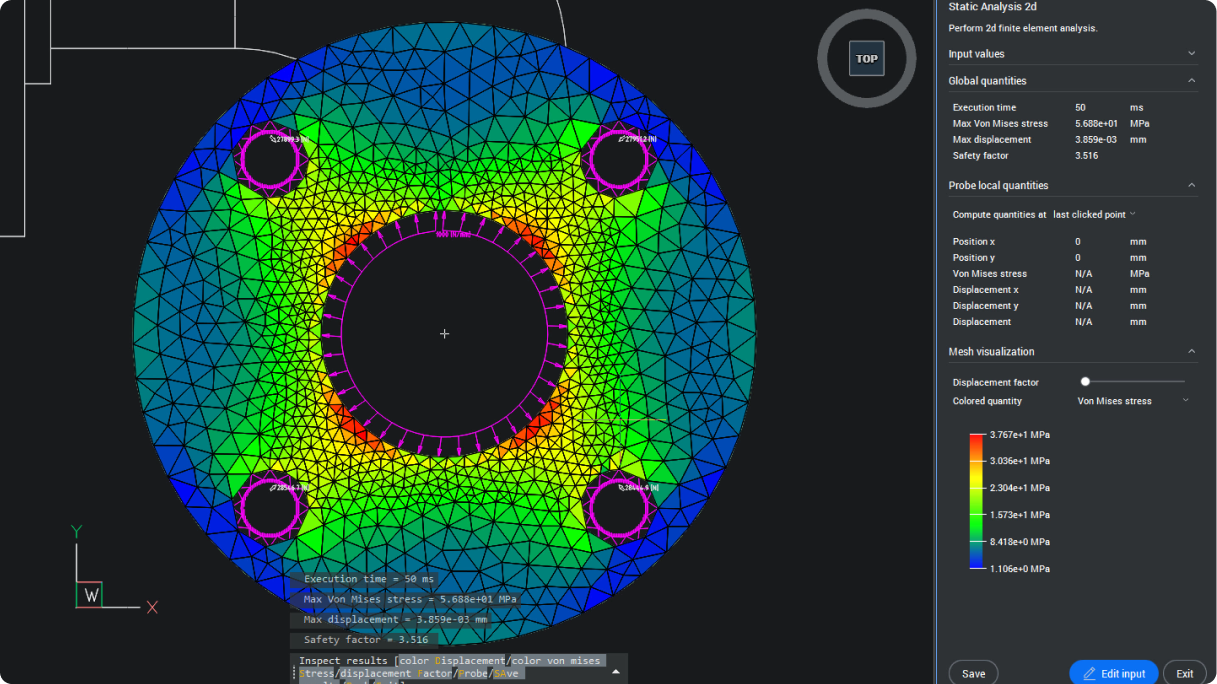
Faster and Reusable 2D FEA
Smarter production documentation
Dimensioning, chamfer documentation, weld symbols, and part-navigation tools in BricsCAD V26 all aim at one thing: fewer manual adjustments. Our latest version cuts a few steps out of each task.

Comprehensive Weld Symbol Dialog Box
For Building Subcontractors
Fabricators, installers, BIM coordinators, anyone working downstream from multiple models
More precise model federation
BricsCAD V26 improves georeferenced model alignment and makes imported IFC data easier to control and separate from native geometry. Federating multi-source models requires fewer “fix and retry” cycles.
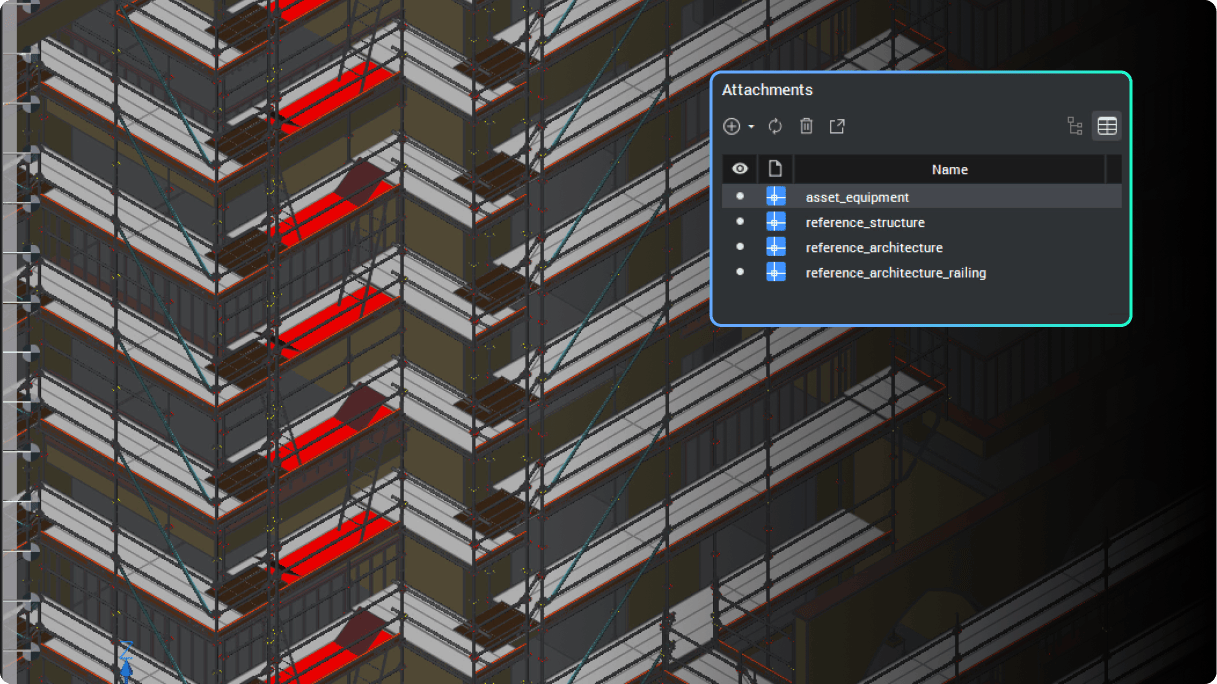
Reference Geometry Using IFC
Cleaner data structure and collaboration
Project data, classifications, and BIM component information are easier to keep consistent across teams. BricsCAD V26 reduces the amount of re-tagging, reclassifying, and re-syncing common on multi-user projects.
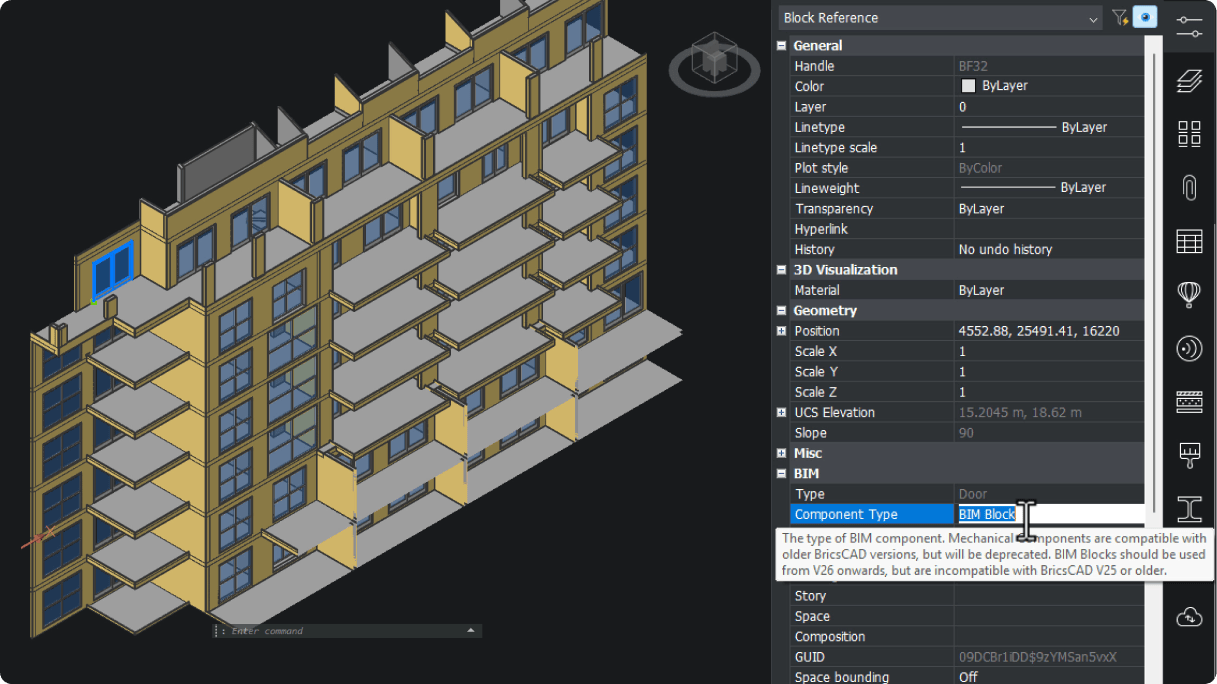
BIM Blocks for Building Components
Faster point-cloud-to-drawing workflows
Auto-detected linework from point clouds and more flexible section-based views give you a quicker path from scan to deliverable. V25 could do the job; V26 necessitates fewer manual corrections.
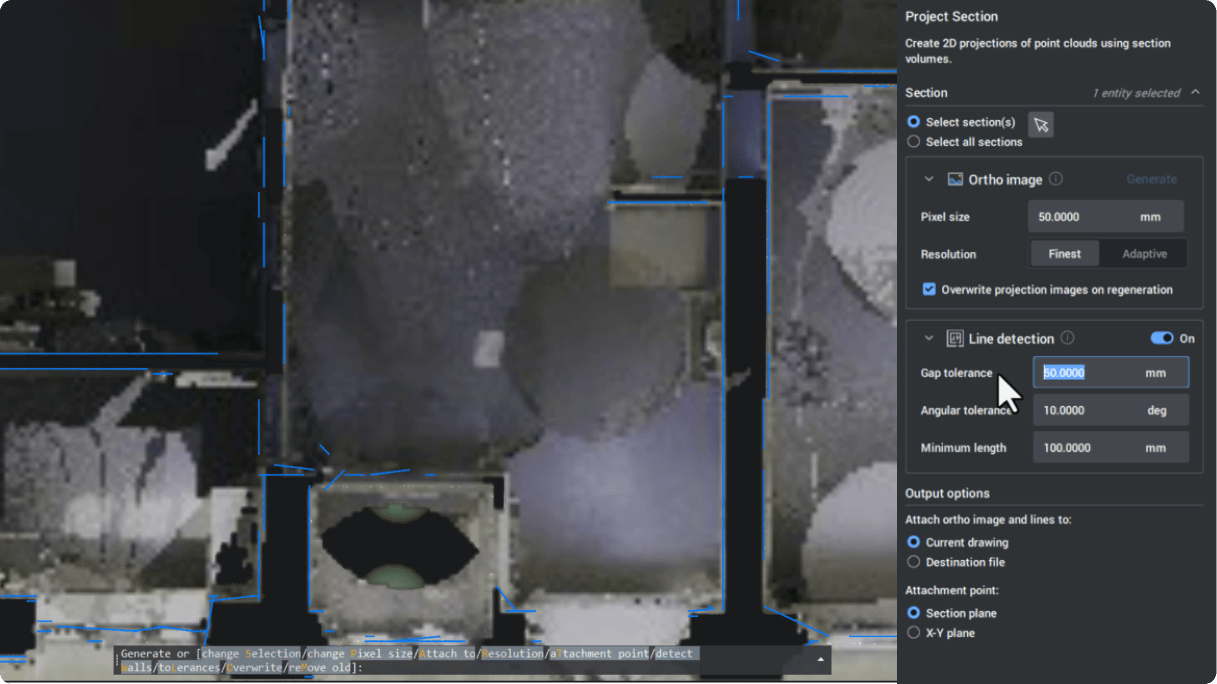
Auto-line Detection and Ortho Image Generation
For Land Surveyors
Survey teams, civil designers, infrastructure engineers
Better integration with GIS and point data
BricsCAD V26 improves GML handling, point creation tools, and point-style automation. It takes fewer steps to get clean, ready-to-use survey data into a drawing.
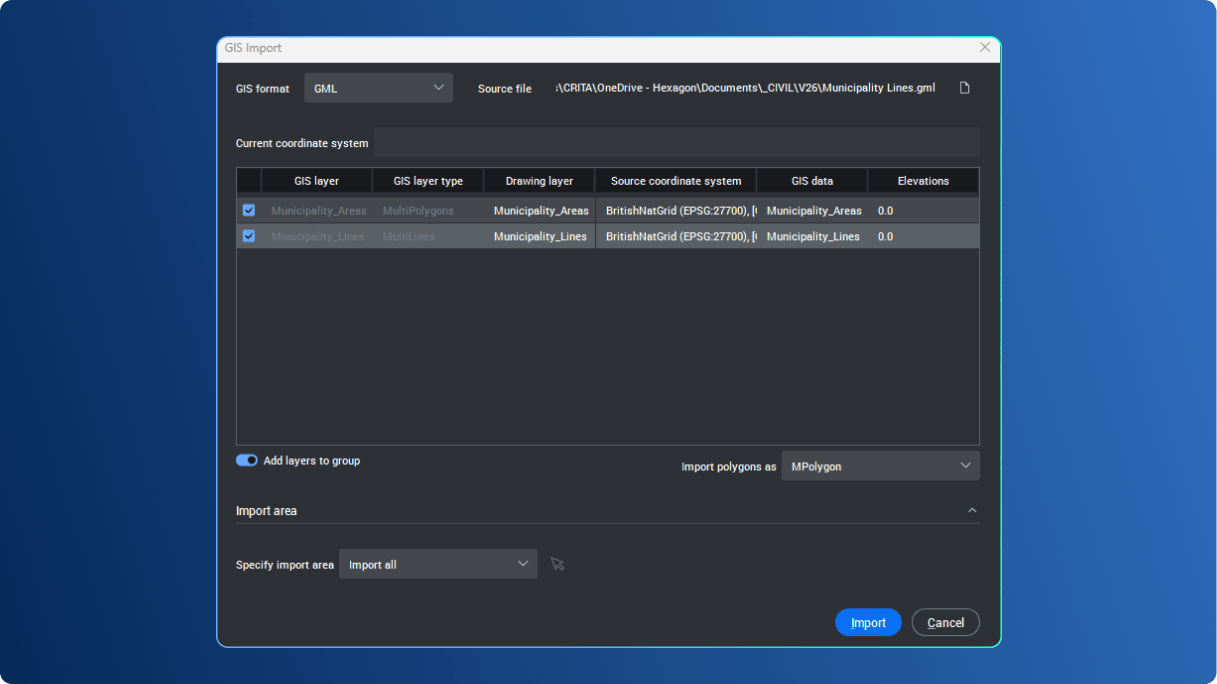
GIS Import and Export for GML Files
Clearer, more customizable surface analysis
Custom ranges, legends, and colors make slope and elevation analysis easier to read, and easier to match to client or agency standards. BricsCAD V26 gives you better tools to visualize TIN surfaces.
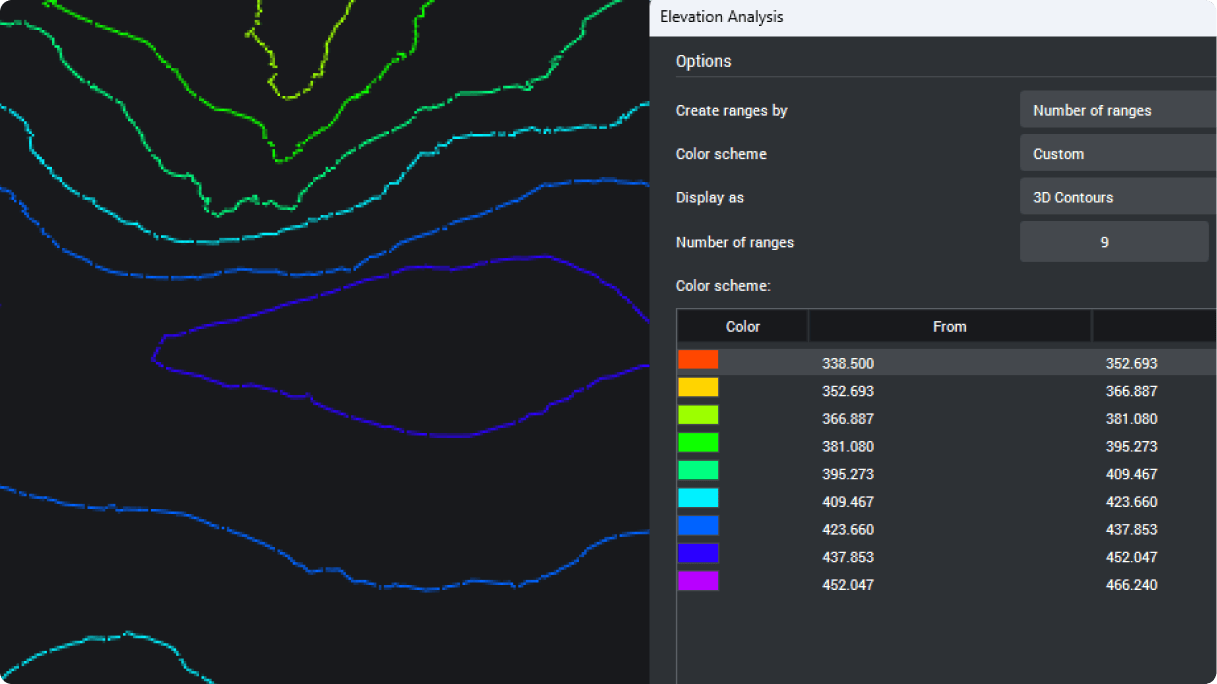
User-defined Ranges for Elevation and Slope Analysis
More efficient reporting and sections
Cut/fill reporting and civil section creation are both smoother and more scalable. What previously felt like a per-corridor task can now be done confidently at project scale.
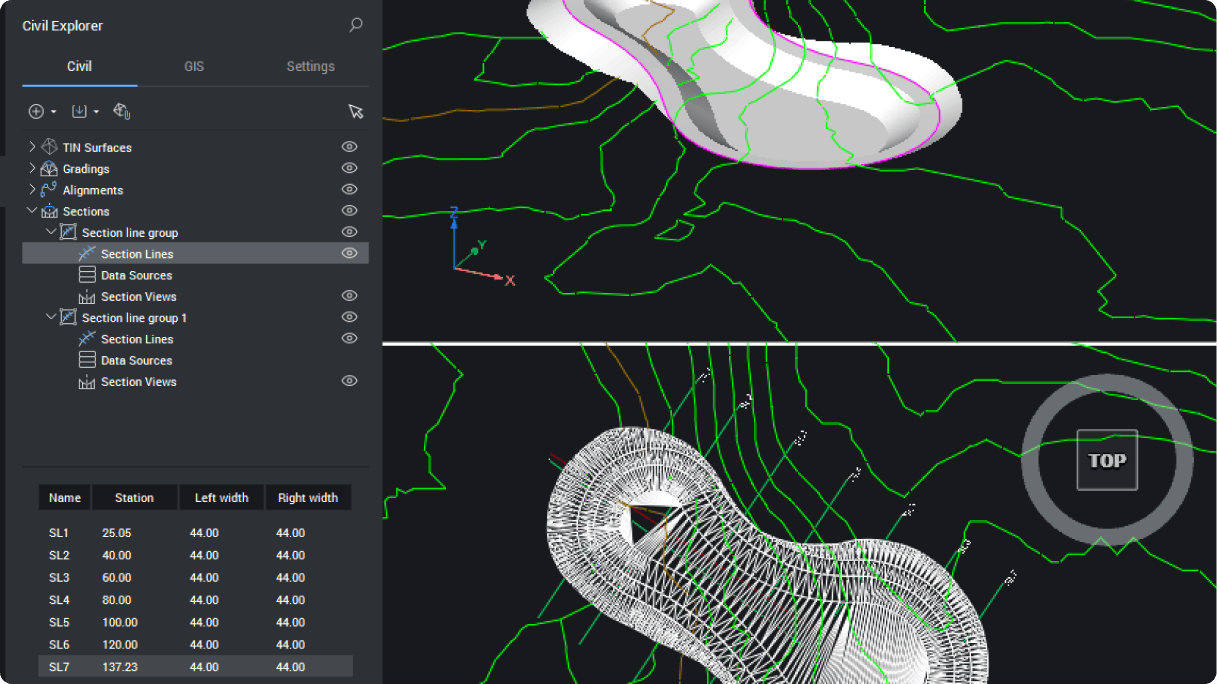
Civil Section Creation
Should you move from BricsCAD V25 to V26?
If you’re happy with BricsCAD V25, V26 won’t force you to relearn anything—but it will noticeably reduce friction across modeling, documentation, point clouds, BIM, mechanical detailing, and civil workflows. It’s still BricsCAD. But a clearer, more responsive, more predictable version of it.
– Source: Bricsys
